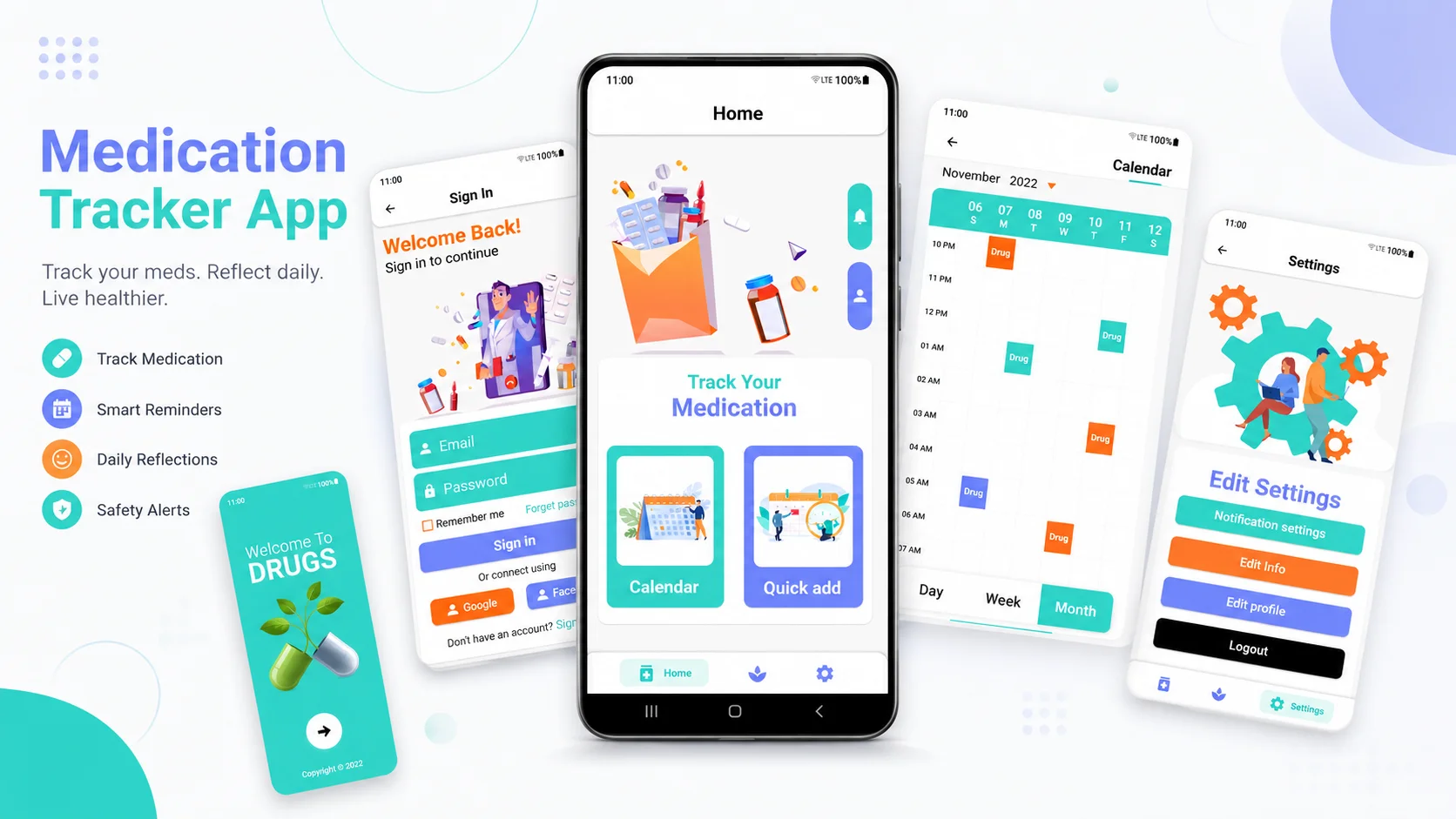
Most medication trackers treat dosage as a calendar problem. Remind the user, log what they took, move on. That holds up until someone takes the same household painkiller for the fifth day straight, doubles up because they missed yesterday's pill, or hands an adult dose to a child.
I built Alshifa to treat dosage as a safety problem first and a reminder problem second. It's a Flutter app for Android, iOS, and Windows, backed by a Laravel 11 API. Every dose the user logs runs through a check that knows the patient's age and gender, the daily ceiling for that drug, the prescribed duration, and the repeat schedule. If the next pill would cross a limit, the app says so before it goes in.
Core Capabilities
Alshifa is built around dose safety, not adherence reminders alone:
Curated drug catalog with age- and gender-aware dose limits
Custom prescriptions with daily, weekly, and duration safety checks
Dose log with reset semantics for adherence streaks
Daily reflections journal with mood tracking
Multilingual health tips feed
On-device reminders backed by offline storage
Server-driven push notifications via Firebase Cloud Messaging
Email, Google, and Apple sign-in
Arabic and English admin with RTL-first content authoring
Core Architecture
Two-Track Drug Model
Medication safety here is two problems, not one. Over-the-counter and household drugs have published ceilings the app should enforce. Prescription drugs have ceilings only the prescribing doctor knows. I modelled both.
Default drugs are the curated catalog. An admin enters each drug once, with safe dose limits broken out across six groups: child, adult, and elderly, each split by male and female. When a user logs a household painkiller, the system picks the ceiling that fits their age and gender and refuses anything over it.
Custom prescriptions cover what the catalog can't. A patient or caregiver enters the drug, the dose, how many days the course runs, and how often to repeat it. From there, every dose is checked against three things at once: the daily limit, how many times that week it's already been taken, and whether the full course has run its length.
Both tracks feed one dose engine. Whether it's an over-the-counter ibuprofen or a prescribed antibiotic, the same question decides whether the dose is allowed: would this push the user past a safe limit?
Dose Engine
The check happens the moment a dose is logged, with no extra step for the user. It reads the patient's age and gender, looks up the right limit for whichever track the drug belongs to, and weighs it against everything already taken in the current course.
It also handles the messy real-world case: a user who wants to restart the same medication fresh without erasing the history behind it. The old record stays intact and auditable, and the safety check still applies to the new run.
Two Notification Paths
A push notification only fires when the device has connectivity. Medication reminders can't depend on that.
Scheduled dose reminders are stored on the device and fire locally, so the next alarm goes off whether or not the phone is online. Lifestyle reminders run on the same offline pipeline: hydration, vitamins, posture, meditation, and a handful of others the user can switch on or off individually.
Server push handles the rest through Firebase Cloud Messaging on its current HTTP V1 API. Admins send broadcasts to everyone or to a slice of the audience built from profile data: medication, pets, plants, gender, age group. The two paths split cleanly. Local notifications own the dose itself; server push owns broadcasts and content updates.
Multi-Language System
Alshifa ships in Arabic and English, RTL-first, and the translation reaches the content itself, not just the interface labels. Admins author a drug's name, its risk and overdose text, and the health tips once, in both languages, from a single panel that flips locale live. The mobile app then requests whatever the user's current language is and gets it back without any duplicated records behind the scenes.
The point is that translation here isn't bolted on. A drug entered in Arabic is the same record served in English, so the catalog never drifts out of sync between the two.
Lifestyle Layer
Beyond dosing, the app keeps a lightweight lifestyle section. The user writes a daily reflection with a short note and a mood (happy, neutral, or sad) and browses past entries in a paginated history. A health tip shows on the same screen, pulled at random per request and served in the active locale, with a local fallback if the request fails.
The profile asks for sleep time, plant ownership, and pet ownership. Those answers aren't decorative. They drive which Firebase topics the user subscribes to, so the lifestyle notifications match the person instead of sending everyone the same reminders.
Authentication
Three ways to sign in, all secured the same way on the backend:
Email and password, capturing gender and birth date at registration so the dose engine has what it needs from day one
Google Sign-In
Sign in with Apple
A few guardrails sit underneath. Password changes are offered only to accounts that actually have a password, so social-only users don't hit a dead end. Deleting an account first soft-deletes it and revokes the user's access tokens, with a separate permanent-removal path for when it's really meant to be gone.
Cross-Platform Surface
One codebase ships to Android, iOS, and Windows, and the safety logic behaves identically on all three. Reminders fire, doses get checked, and the calendar looks the same whether it's a phone or a desktop window.
The medication calendar is the centerpiece of the interface, with dose history and tips paging in as the user scrolls. The app keeps its working data on the device so the screens that matter, today's doses and the next reminder, load instantly and don't stall waiting on a network call.
Admin Experience
The admin side is a Filament 3 panel with role-based access, covering four areas: users, the drug catalog, health tips, and notifications.
The drug catalog is the heart of it. Adding a new drug is a single form: the multilingual name and safety text, plus the six dose limits for each age and gender group. No database migration, no developer involvement, no code change to ship a new medication.
Notifications let an admin write a push, aim it at everyone or a targeted segment, and send it straight from the panel.
Health tips are short, per-language entries the app pulls into the lifestyle screen.
Users gives the standard view over accounts, with soft deletes, admin flags, and each person's linked profile.
My Role
Product architecture and the two-track drug model
Laravel API with Sanctum auth and Socialite social login
Dose engine with daily, weekly, and duration checks
Filament admin panel with Shield RBAC and translatable content
Firebase Cloud Messaging on the HTTP V1 API
Flutter app for Android, iOS, and Windows
Isar offline storage and on-device reminder scheduling
Apple, Google, and email authentication flows
Arabic and English RTL-first content pipeline
Building Something Where Defaults Matter
If you're building a healthcare or compliance-driven app where a wrong default can hurt someone, I'd be glad to talk through the architecture before you ship.